C# Multithreading Tip
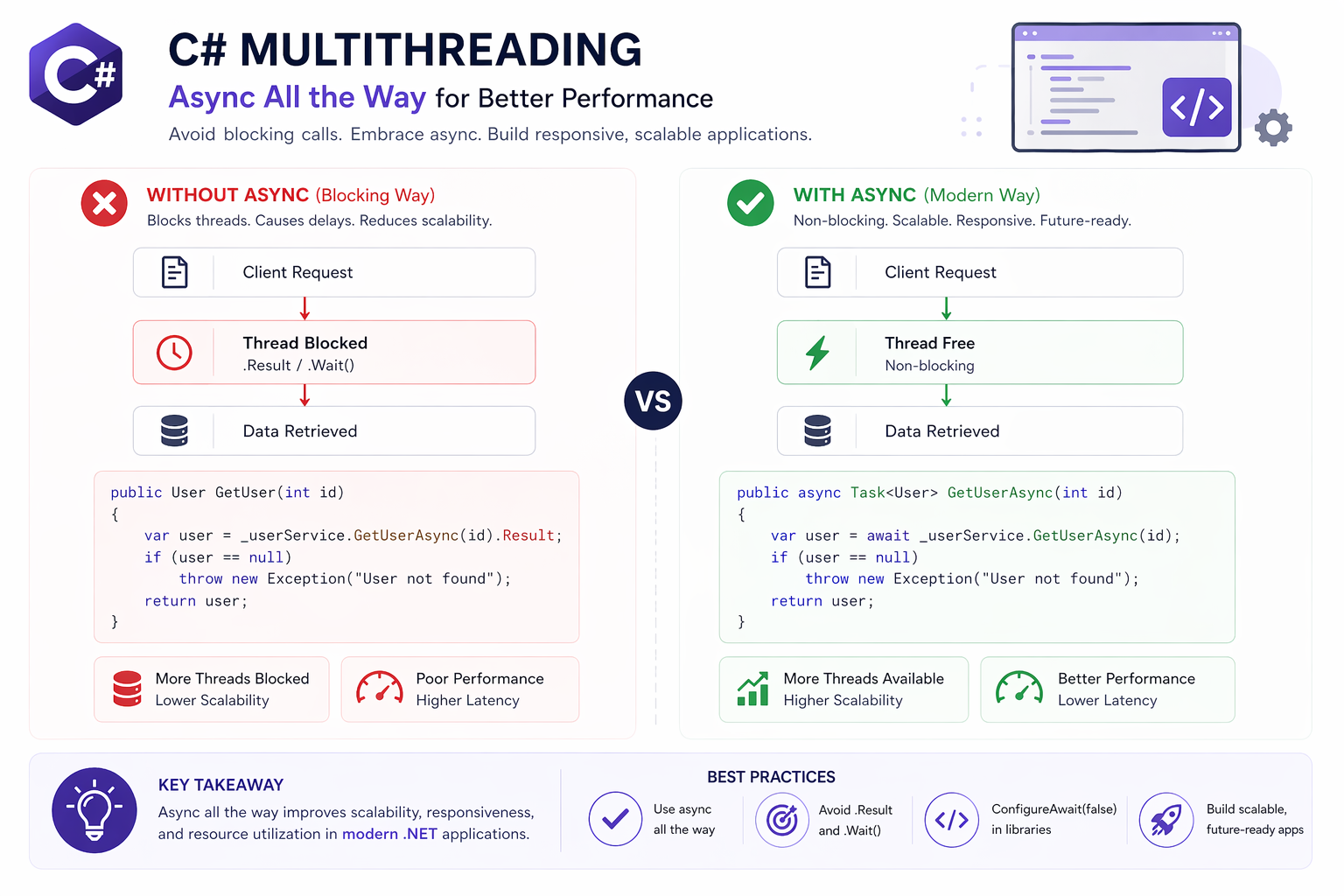
💡 C# Multithreading Tip: Avoid .Result and .Wait() — They Can Deadlock Your App
One of the most common (and subtle) issues I’ve seen in .NET applications is mixing synchronous and asynchronous code incorrectly.
🔍 Example:
var result = GetDataAsync().Result; // ⚠️ risky
or
GetDataAsync().Wait(); // ⚠️ risky
👉 These may work in simple cases…
👉 But in real applications (especially ASP.NET), they can cause deadlocks.
💥 Why this happens:
.Result and .Wait() block the current thread
The async method tries to resume on the same context
That context is blocked → deadlock
✅ Correct approach:
var result = await GetDataAsync();
👉 Fully asynchronous
👉 No blocking
👉 Better scalability
💡 Bonus tip:
If you must run async code from sync (rare cases):
var result = GetDataAsync().ConfigureAwait(false).GetAwaiter().GetResult();
…but this should be avoided in most application code.
🚀 In high-load systems, improper async usage doesn’t just cause bugs — it can reduce throughput and hurt scalability.
Understanding this difference is critical when building reliable, high-performance .NET applications.
Curious — have you ever debugged a deadlock caused by .Result or .Wait()?
#CSharp #DotNet #Multithreading #Async #SoftwareEngineering